

The wiring for the display of your Roadster V3 runs from the electrical connection at the display up by the handlebars, above the battery inside the frame, and to the electrical connector at the motor controller below the battery inside the frame. This part may need to be replaced if the wiring has become damaged or the display is not functioning properly. This may sound daunting, but with the right process replacing this wire is not too hard. Here are some steps to take in order to properly get this new wiring installed on your Roadster V3.
Tools needed:
- 2mm hex key
Torx 20 wrench
5mm hex key
Tape
Step 1: Access the Controller
You will first need to access the motor controller on your bike in order to find and disconnect the electrical connection for this wiring. This may be a job you are familiar with from past repairs or maintenance on your bike and is pretty simple. A instructional video for accessing the controller on the Roadster V3 is below and for full written instructions, see this article: Roadster V3 Controller Access
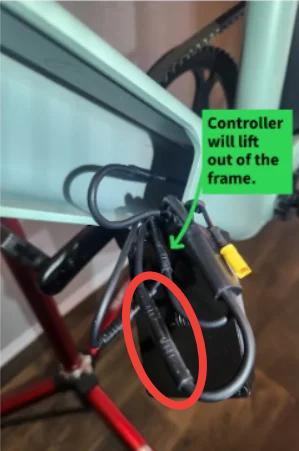
Once you have gained access to the controller, the display wire can be unplugged. This wire will be one of the two wires coming out of the small junction going into the controller and is circled in red below.
Step 2: loosen the Front Fork for Access
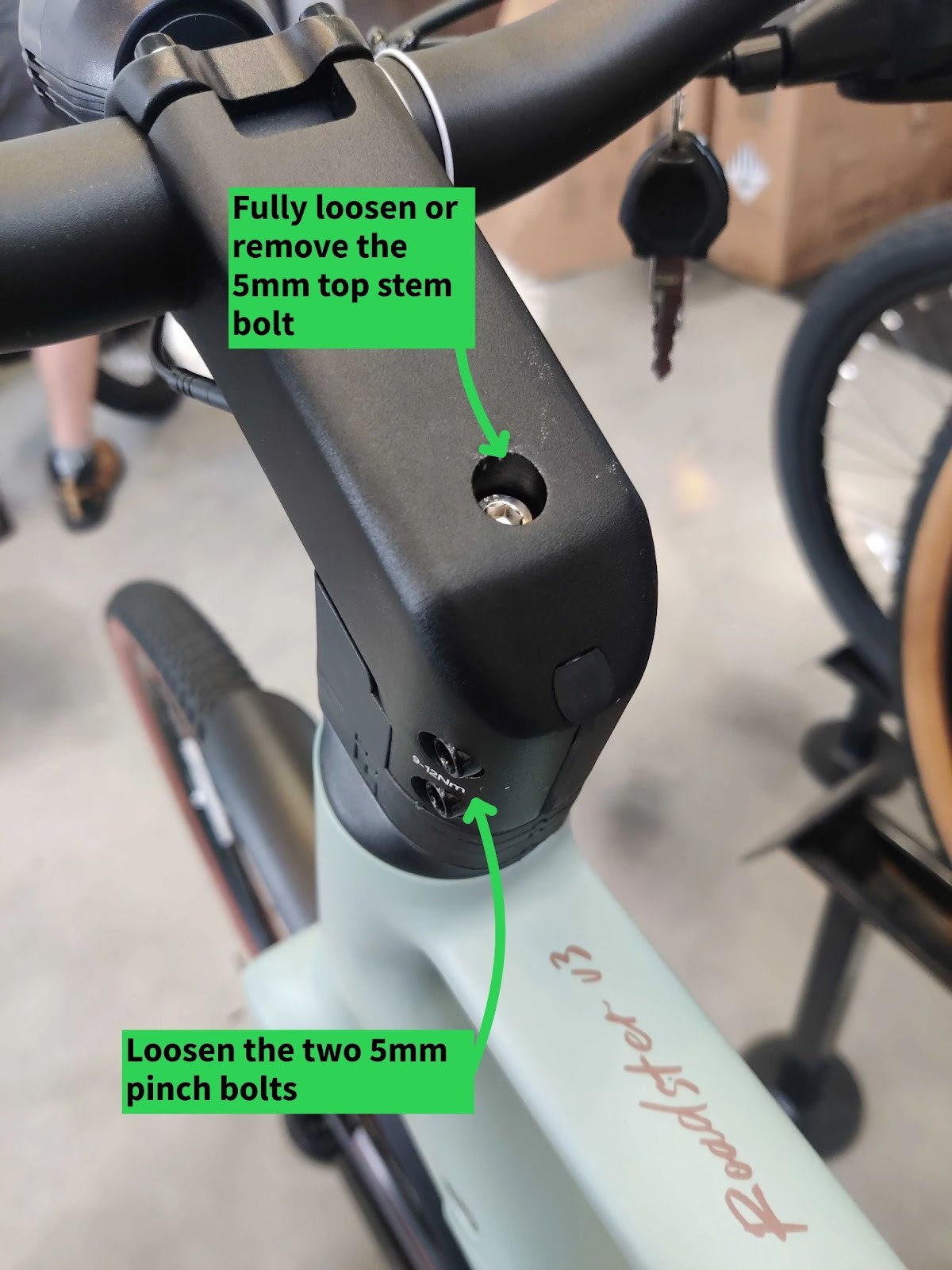
Next, we recommend partially removing the front fork for better access to the frame. This is not 100% necessary but does make the next steps a lot easier. To do this you will have to loosen the two two pinch bolts on the side of your stem and remove/fully loosen the stem top bolt with a 5mm hex wrench. This will allow for the handlebars and stem to be pulled off the steerer tube leaving you with the plastic stem spacers.
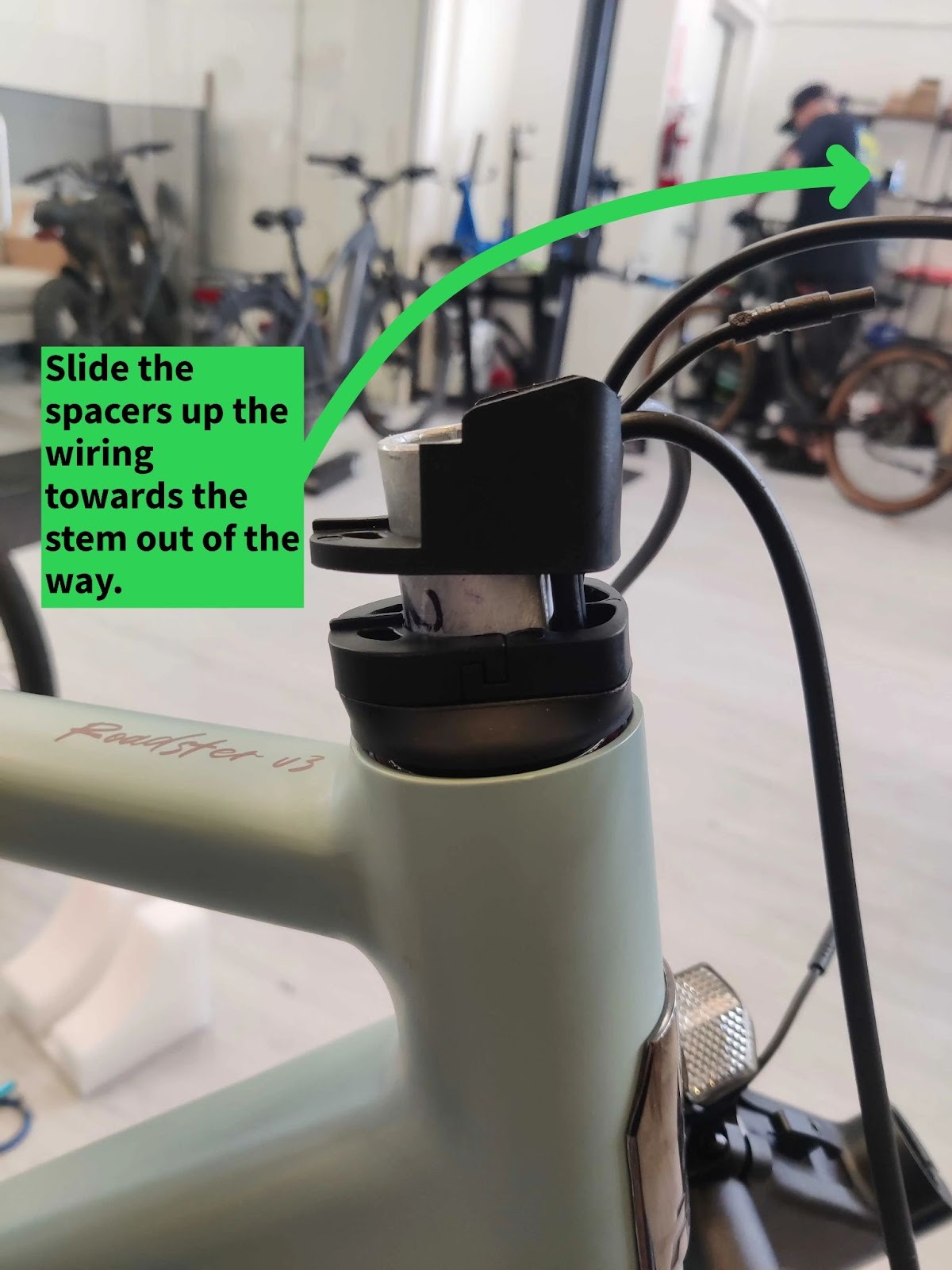
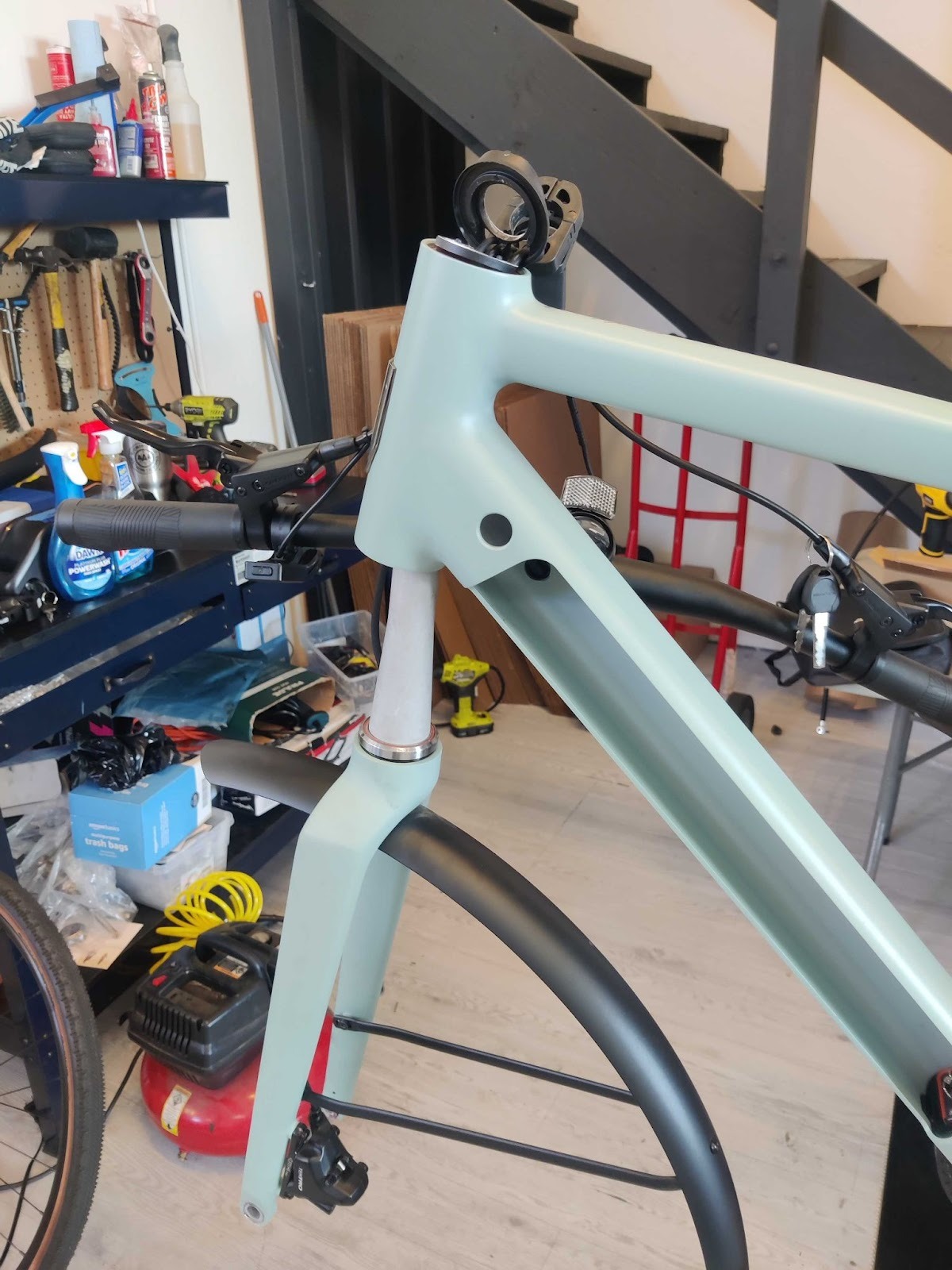
Once the stem and handlebars are lifted off the fork you will be left with a few different plastic spacers. It is best practice to take note and photograph the order of these parts for reference later during reinstallation. Slide these plastic parts up the wiring toward the stem to get them out of the way and pull the fork down out the bottom of the headtube of the frame. You will not be able to remove the fork fully as the front brake hosing runs through the center of the steerer tube but you will be able to remove it far enough to access the downtube of the frame.
Step 3: Route the New Wiring
Now it is time to replace the old wiring with the new. This is most easily done by first plugging the new wire into the electrical connector up by the handlebars and taping this connection together to ensure it is secure. Be sure to only use one layer of tape as the clearances inside the frame will not allow for multiple layers.
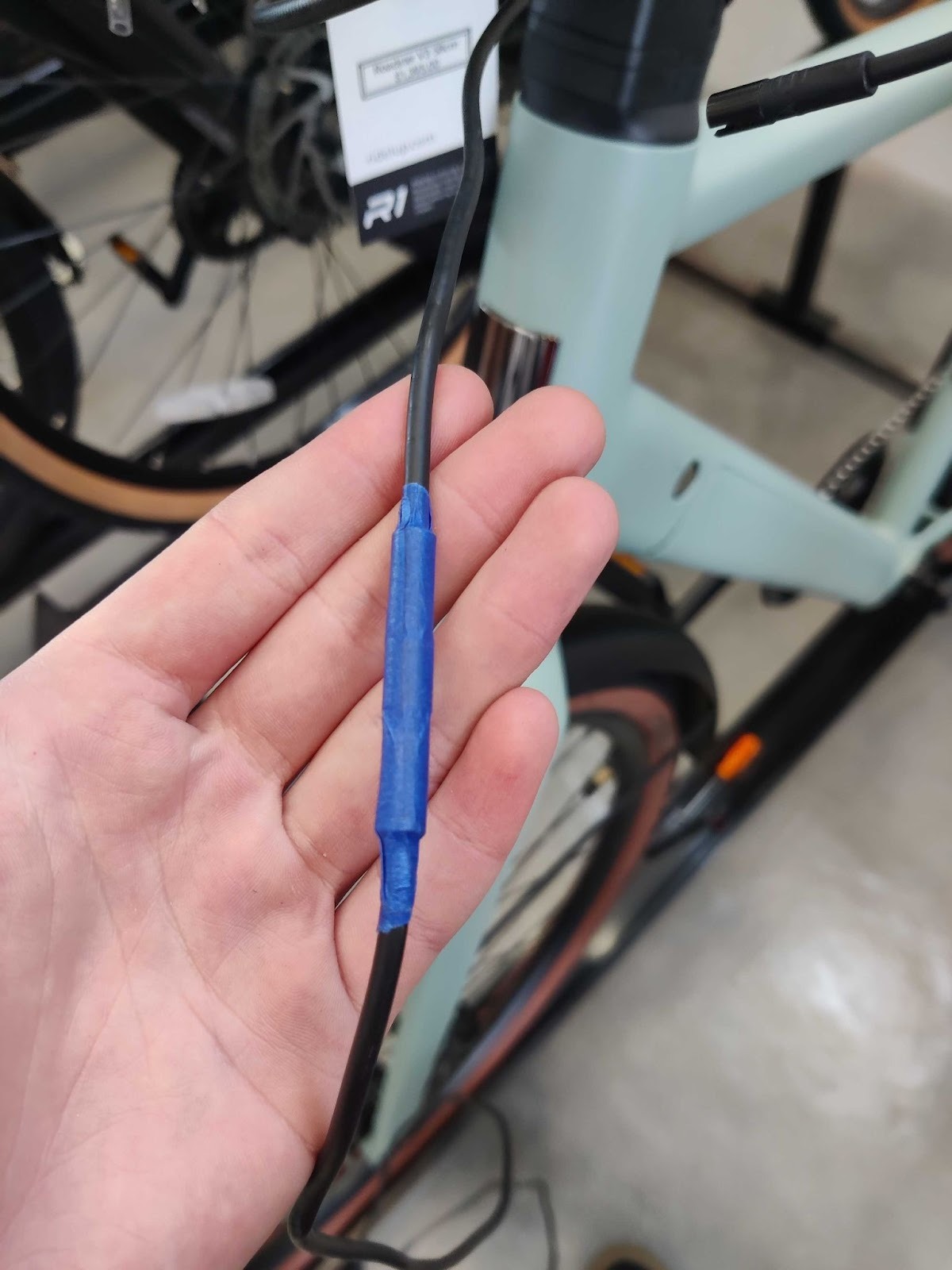
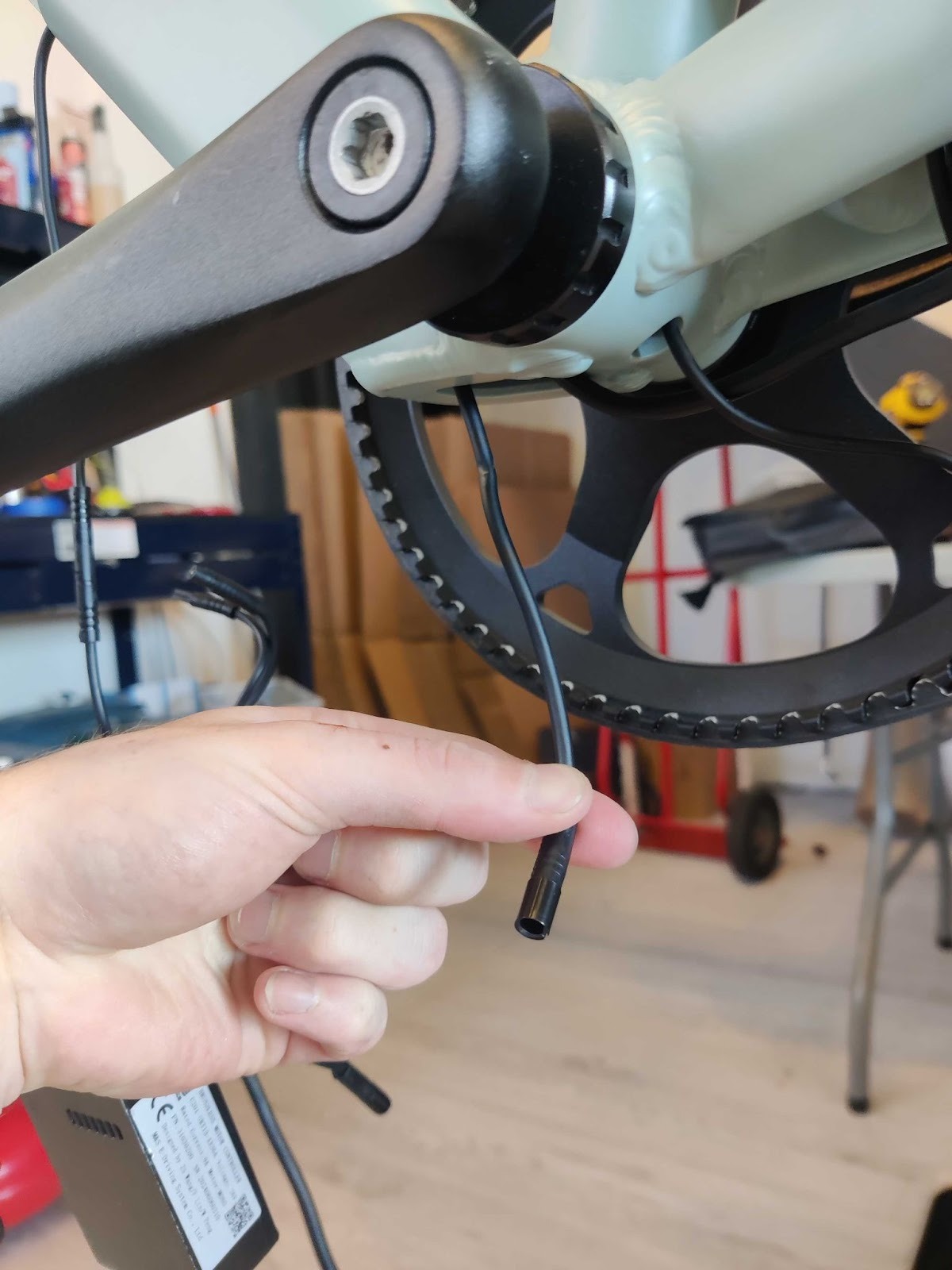
Now find the loose electrical connector at the controller and insert it through the hole at the bottom of the frame so the loose end is coming out from in front of the bottom bracket. From here the old wire can be pulled out the bottom of the frame until you find your taped together electrical connector. The tape can now be removed and you should be left with the new wire in place of the old.
Step 4: Test and Assemble the Bike
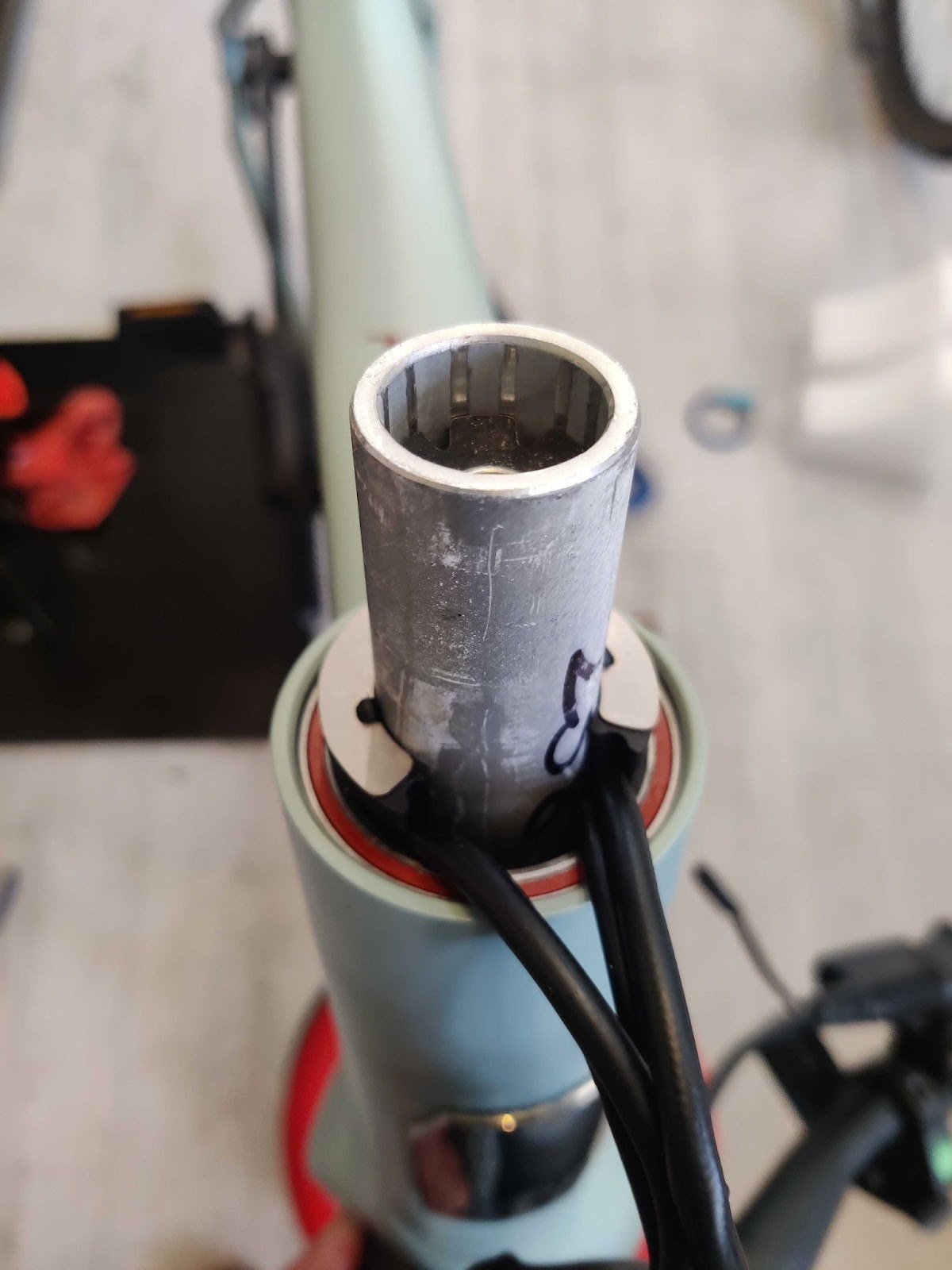
Now that the new wire is in place it may be a good idea to quickly plug everything into the bike, without assembling everything, to quickly test the bike. Given that the bike is now working correctly, you can now reverse the steps above to assemble the bike back together. When installing the front fork make sure that the steerer tube is inserted so that there are two cables exiting the headtube on each side of the steerer and the C shaped cone washer is installed as shown in the photo below.
Additional Resources
Replacing this damaged wire should get your bike back on the road but further troubleshooting and repair steps may be needed depending on the original issue. Here are some additional resources that may help with the issue you are facing:
- Roadster V3 Display Error Codes
- Roadster V3 Throttle Fault/Error 05
- Roadster V3 Display Overview
- Product Manual(s): All Models
If you run into any issues along the way feel free to reach out with some photos of where you are in the process so we can better assist you through the process.


